 TaxBuddieSign inCreate Account
Track the journey while you work
Automatic Mileage Tracking for Uber Eats Drivers
Start your delivery shift, record GPS distance and review the route afterwards. Keep mileage with your Uber Eats earnings and any other apps used during the same shift.
TaxBuddie is independent and is not affiliated with or endorsed by Uber.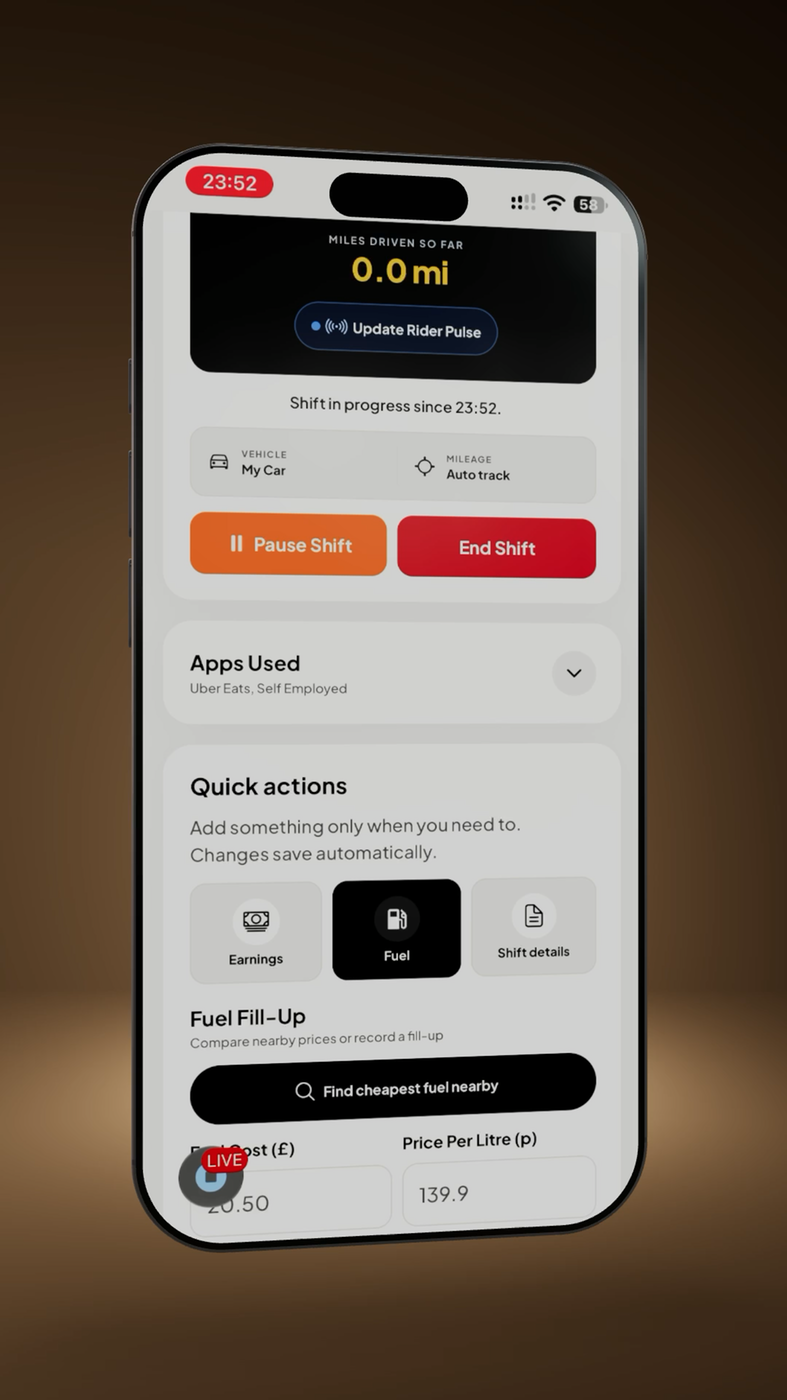
Why track Uber Eats mileage?
Order history and payouts do not necessarily create a complete journey log. Recording mileage as you work gives you the date, vehicle, shift and distance before the route fades from memory.
How TaxBuddie’s GPS mileage tracking works
Select GPS mileage, grant the required location access and start an active shift. TaxBuddie records distance while the shift runs and can keep an optional route map. GPS depends on device permissions and signal, so review the result.
You can use odometer readings, manual mileage or a standalone business journey instead.
Start a shift and track your journey
- Choose your vehicle and mileage method before moving.
- Start the shift when the relevant work journey begins.
- Add Uber Eats and any other delivery apps used during the shift.
- Update earnings only when safely parked.
- End the shift and review the recorded distance.
Review mileage after a shift
Compare the GPS total with the route and odometer where possible. Note personal detours, gaps or corrections. A recorded route is evidence to review, not an automatic decision that every mile qualifies for tax relief.
Uber Eats mileage and HMRC
For 2026/27, eligible self-employed simplified expenses are 55p for the first 10,000 business miles in cars and goods vehicles, then 25p; motorcycles are 24p. Fuel and other vehicle running costs cannot be added on top of that simplified rate.
Read the current HMRC mileage guide and Uber Eats tax guide.
Multiple delivery apps
If Uber Eats, Deliveroo or Just Eat overlap in one shift, record the real journey once. Keep each platform’s earnings and fees clear, but do not duplicate the distance simply because more than one app was active.
More than mileage tracking
TaxBuddie also organises shift time, earnings, expenses, receipts, supported statement imports and CSV reports. It keeps records; it does not file your return or decide which miles are allowable.
Uber Eats mileage FAQs
Can TaxBuddie run during an Uber Eats shift?
Yes. Start a TaxBuddie shift with GPS mileage before you move, subject to device location permissions.
Can I correct a GPS total?
Review the shift and use odometer or manual information where appropriate. Keep a note explaining material corrections.
Does it work when I use more than one delivery app?
Yes. Keep the mixed-app shift as one real journey and organise the associated earnings together.
Track your next Uber Eats shift
Keep GPS mileage, hours, earnings and expenses in one account.
Important: TaxBuddie is not affiliated with Uber. It provides record keeping and exports, not personalised tax advice or HMRC submission.